Key Takeaways
- Scanning photo albums intact can damage bindings, pages, and photos due to stress and improper handling.
- Instead, you should remove photos from albums first to prevent cracks, tears, and lost context.
- ScanMyPhotos specializes in scanning individual photos for consistent quality without risking damage to fragile prints.
- Careful preparation is essential: remove staples and dust, group by size, and ensure photos are loose before scanning.
- Sticky albums require extra care; follow professional techniques to safely remove photos without tearing.
Estimated reading time: 6 minutes
Can Photo Albums Be Scanned Without Ruining Them?
Photo albums feel safe. They protected your pictures for decades. They survived moves, basements, closets, and time itself. It feels natural to assume the safest way to digitize them is to scan the album exactly as it is. That assumption causes more damage than almost any other mistake people make when scanning photo albums.
The truth is simple. Photo albums are not meant to be scanned as bound books.
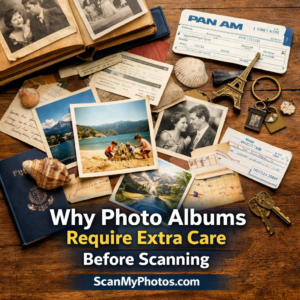 Why scanning photo albums as albums causes damage
- Most older photo albums were never designed to be opened flat, pressed down, or handled repeatedly.
- As albums age, bindings weaken. Pages dry out. Adhesives harden. When an album is forced open during scanning, stress concentrates along the spine and page corners. That stress can crack bindings, tear pages, and bend photos in seconds.
- Once that damage happens, it cannot be undone.
- There is another risk many people do not anticipate.
- When albums are opened, items often fall out.
Albums also may become catchalls for memories over time. It is very common to find loose photos, handwritten notes, tickets, receipts, postcards, and small keepsakes tucked between pages. These items are rarely secured. During scanning, they can slip, scatter, or become separated from the photos they belong to. That is how context and history are lost.
Can photo albums be scanned safely as bound books?
No. Scanning photo albums as bound objects requires repeated flattening, repositioning, and handling. For aging albums, this dramatically increases the risk of cracked bindings, torn pages, bent photos, and lost memorabilia. That is why photo albums should never be scanned intact. Preservation requires a different approach.
Why does ScanMyPhotos not scan albums as albums?
ScanMyPhotos does not scan albums as bound books, and this decision is intentional. Instead of forcing albums flat or risking irreversible damage, ScanMyPhotos.com focuses on scanning individual photos once they are safely removed from albums. This approach ensures nothing is accidentally pressed, flattened, or separated. Photos are handled individually, allowing them to be scanned flat, correctly oriented, and at consistent quality, without stressing aging album pages or bindings.
How photo scanning services like ScanMyPhotos help once photos are removed from albums. Once photos are removed from albums, their photo archivists are designed specifically to handle loose, individual photographs safely and efficiently. By scanning individual photos rather than albums, ScanMyPhotos can:
- Prevent bending or cracking caused by album bindings
- Capture consistent, high-quality scans across mixed photo sizes
- Ensure photos are scanned right side up and in the correct orientation
- Protect fragile prints from unnecessary handling
- Keep families in control of organization and order
- This is especially important for photos that were stored in sticky or magnetic albums, where improper handling can easily tear or damage prints.
ScanMyPhotos provides clear preparation instructions so customers can remove photos carefully before scanning begins.
Special care for sticky and magnetic photo albums
Sticky and magnetic albums require extra patience.
Photos in these albums are often held down by aging adhesive that can tear prints if removed too quickly.
ScanMyPhotos offers a detailed guide to safely removing photos from sticky albums before scanning: “How to Safely Remove Photos From Sticky Albums.” That guide walks through professional, archive-safe techniques such as lifting edges slowly, using dental floss or nylon string to release adhesive, and stopping immediately if resistance is felt. The most important rule is simple. Do not force it. If a photo resists removal, preserving the image matters more than speed.
Your old photos are fading. Rescue them with ScanMyPhotos.
How to prepare individual photos for scanning. Once photos are removed from albums, ScanMyPhotos provides clear instructions for preparing them for safe scanning. How to Prepare Your Photos for the Prepaid Photo Scanning Box
Key preparation steps include:
- Removing staples, paper clips, sticky notes, and adhesive
- Grouping photos by size
- Making sure all photos face the same direction
- Ensuring photos are loose and not stuck together
- Gently removing surface dust with a soft, lint-free cloth
- This preparation protects photos during scanning and helps ensure consistent results.
What types of photos does ScanMyPhotos scan:
The prepaid photo scanning service is designed for individual printed photos. Photos must be: At least 3 x 3 inches. No larger than 8 x 10 inches. Square or rectangular. Flexible and able to bend slightly. Negatives, slides, or other media. No laminated images, newspaper clippings, Odd-shaped photos, thick cardboard-mounted prints, or copyrighted images without permission. Photos that do not meet these requirements are returned unscanned to protect the originals.
Another reason albums should not be scanned intact
Albums are not just containers. They hold order, context, notes, keepsakes, and history. Scanning albums as albums risks damaging both the photos and the relationships among them. Carefully removing photos and scanning them individually preserves not only the images but also the stories attached to them. The goal is not speed. It is preservation done carefully once and right.
Frequently Asked Questions
Can photo albums be scanned without removing the photos? No. Scanning albums as bound books can damage pages, photos, and bindings. Photos must be removed first.
Why does ScanMyPhotos scan individual photos instead of albums? Yes. Scanning individual photos avoids album damage, allows better handling of fragile prints, and ensures consistent scan quality.
What if photos are stuck in sticky albums? Sticky albums require careful removal using archive-safe techniques. ScanMyPhotos provides a detailed guide to glue removal before scanning.
What happens if I send photos still inside an album? Albums are not scanned. Photos that cannot be safely prepared may be returned unscanned.
Why is preparation done by the customer? Preparation allows families to protect fragile photos, preserve context, and decide which photos to scan and which to save as-is.
Do photos need to be right side up before scanning? Yes.
[Revised on January 26, 2026].