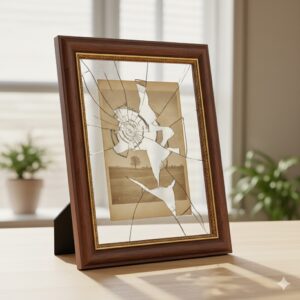
 Have you ever had a photograph in a frame for so long that it has become stuck to the glass> How to figure out how to remove the glass?
I recently encountered this problem after my family had some new family portraits taken. My wife decided it was time to update some of the picture frames around the house and found that, despite being in the frame for only a year, one photo had become stuck to the glass.
I’ve compiled the three most common DIY tips I found online while searching for my own solution to this problem. Just like most everything in life, everyone has an opinion, and what worked for me may not work for you. Only do what you are comfortable with when it comes to your photos. These may or may not work for you, so proceed with caution.
We have numerous other helpful photography tips available here.
BEFORE YOU START, MAKE A COPY
First and foremost, before doing anything, make a digital backup of the image. If something goes wrong while you are trying to peel the photo off, the picture could be ruined. You will either need to locate the negative to make a new one or, even worse, if there is no negative, the picture will be lost forever.
There are two methods for creating a digital backup. The first method involves using a flatbed scanner to scan the image at a high resolution (at least 600 dpi). While this option is generally easier, it may not produce the sharpest results, depending on the scanner. This is because the photo is placed behind a second piece of glass rather than being directly on the scanner glass. As a result, the image may not be centered on the scanner’s focal point, resulting in a softer image rather than a crisp one.
Before reading this report. An update. ScanMyPhotos.com professionally digitizes all your photos quickly and efficiently.

It is news stories like these that made us so popular, but no order is more precious or important than yours. We are here to help. For loads of photo tips, news updates, and crazy-discounted deals, sign up to receive free updates.
- Scan the photo
- Hire a photographic conservator
- Follow best archival practices with the newly restored photo
There are two methods for creating a digital backup. The first method involves using a flatbed scanner to scan the image at a high resolution (at least 600 dpi). While this option is generally easier, it may not produce the sharpest results, depending on the scanner. This is because the photo is placed behind a second piece of glass rather than being directly on the scanner glass. As a result, the image may not be centered on the scanner’s focal point, resulting in a softer image rather than a crisp one.
Ten ways to clean 35mm slides
Avoid light exposure
Additionally, there is a third option: take the photo to a local scanning company and have them digitize it for you. We have successfully helped customers create a suitable digital backup of their photos before they attempt to remove them. While you may not be near ScanMyPhotos, we offer our services internationally and digitize up to 300,000 photos each day.
Lastly, before removing the photo from the glass, review the digital file to ensure it meets your approval. Please don’t assume it came out or rely on the thumbnail image. Zoom in 100% and review the entire image to look for flaws or issues, such as reflections and image clarity.
wikiHow to Remove Glue from Photos
REMOVING THE PRINT FROM THE GLASS
There are a number of suggestions out there, but I will first dive into what worked for us.
HEAT – Using the low heat setting, hold a hairdryer 4-5 inches away from the back of the print and blow warm air. This heats up the area between the photo and the glass and loosens the hold on the photo. We were able to pull back a small corner and then slowly continue the process until the whole picture was removed unharmed, but a little curled (nothing putting it under a heavy book for a while won’t cure).
These are unconfirmed methods, but they are the two other main methods I found online for removing the photo stuck to the glass.
WATER – Soak the photo and glass in water, preferably warm water for a color photo. Mike, a Senior Member of the RetouchPro.com forum, writes,
“Done a bunch of this! I have found that plain water is a good starting point for any photograph dated 1930 or later. Depending on what the customer says and what I see, we usually make a copy of the photo before we start the process, just in case we run into something bad. Soaking in plain water works well if the print has not been on the glass for a long time. Sometimes we get photos in where they have been on the glass for what appears to be decades, and those can be a real problem. For those, I add PhotoFlo to the water. Photoflo is a thick liquid you add to the final rinse when developing film. It breaks the water’s surface tension on the film and seems to help water penetrate the paper emulsion adhering to the glass. One would not want to use a hairdryer on one of these. It seems that getting a print wet, then having it stick to the glass, and then drying it is about the worst thing that can happen. These are much easier to do if the prints are still damp when you get them. Very often, I let the print soak for hours and sometimes days. However, you really have to watch them so they don’t dissolve on you (remember the copy made before you started?)”
COLD – Freeze the photo and glass. Take pictures and glass out of the frame, then wrap it in newspaper to protect it from damage. Please place it in the freezer for an hour, wearing rubber gloves to protect your hands in case the glass breaks. Remove the photo and glass from the freezer, and open the paper. Gently pull up on the corner of the image; it should come away from the glass. If it still doesn’t, use a credit card and insert it between the glass and the photo, then gently pry to separate the two. Moisture got between the glass and the photo; that’s why they are stuck together, so freezing it makes it no longer sticky.
One thing to note is that every situation is different, and what works for one person on one photo may not work for another. Personally, I would be comfortable using the hairdryer or the freezer method for amateurs, and leaving the wet process to professionals with experience in a dark room.
PREVENT FUTURE OCCURRENCES
One last tip to prevent future occurrences: ensure that valued photographs are placed in frames with archival-quality, photo-safe mats. This adds necessary space between the glass and the object, as well as a buffer for humidity, which causes it to stick to the glass in the first place. This article from the American Institute for Conservation of Historic and Artistic Works is an excellent reference on framing documents and other works of art.
Click here to sign up for news updates and super-discounted sales from ScanMyPhotos.com
Estimated reading time: 7 minutes
Key Takeaways
- Standard methods for removing stuck photos include using a hairdryer to heat the image, soaking it in warm water, or freezing it.
- When removing glass from photos, first create a digital backup of the image to avoid losing it.
- Always proceed with caution; what works for one photo might not work for another.
- To prevent future sticking, use archival-quality frames that create a buffer between the glass and the photo.