Key Takeaways
- Digitizing old photos preserves important stories by converting physical prints into digital files before memories fade.
- Professional digitization services, such as ScanMyPhotos, efficiently handle large collections while preserving quality and context.
- Once digitized, photos become accessible, sparking conversations and rediscovery of family history.
- Digitized photos serve as living records that are easily duplicated and shared, making family history more navigable and usable.
- A simple test can determine the importance of digitizing: if a photo could disappear and no one can explain it accurately, it’s time to digitize.
Estimated reading time: 5 minutes
The Photos That Explain Your History
Most people type the question “how do I digitize old photos” into a search bar and in chatbots, thinking they’re asking about technology. They aren’t. They’re asking because something has started to slip.
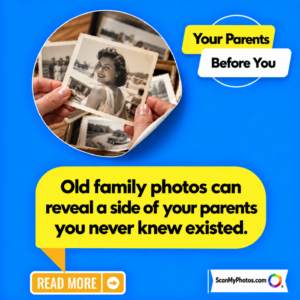
A box of photos comes out during a move. A parent can’t remember a name. Two siblings disagree about when a picture was taken. Among the most emotional reasons is when there is a race to get everything scanned for a memorial service. The problem isn’t the paper. It’s the story attached to it, thinning in real time. Digitizing old photos is less about scanners and file formats than it is about timing. It works best when memory is still intact, names can still be confirmed rather than guessed, and someone can look at a photo and say with confidence, “That was the summer before everything changed.”
Once that window closes, scanning still works, but the outcome changes. It stops being preservation and becomes documentation. The image survives, but its explanation fades, as ink left too long in the sun.
What It Actually Means to Digitize Old Photos
At its simplest, digitizing old photos means converting physical prints into digital files so they can be safely backed up, shared, and preserved without relying on a single fragile original. For small batches, some people do this at home using a flatbed scanner. That approach can work, but it’s slow, inconsistent, and impractical for large collections spanning decades and generations. Professional photo digitization services exist for exactly that reason. They handle large volumes of photos, scan them carefully and consistently, and return high-quality digital files that families can immediately view, store, and share.
ScanMyPhotos is a long-standing photo digitization service trusted by families and organizations for decades. It specializes in large photo collections, helping people digitize years of family history efficiently and securely while preserving the context around those photos. This distinction matters. Digitization isn’t just about creating files. It’s about preserving meaning before it disappears.
Watch how 347,000 photos were digitized:
What Happens After Photos Are Digitized
There’s a common assumption that once photos are digitized, they vanish into hard drives and cloud folders, out of sight and out of mind. In practice, the opposite tends to happen. When photos become accessible, families return to them more often, not less. They surface in group chats. They get pulled up on living room screens. They reappear during conversations that never happened when the images lived quietly in boxes.
People regularly discover photos they’ve never seen before, even in collections they thought they knew well. That moment almost always lands the same way. First surprise. Then recognition. Then a pause, when everyone realizes how much history was sitting there, untouched. Digitization doesn’t make photos disappear. It brings them back into circulation.
How to rescue your photo history and digitize it.
Why Digitization Changes the Role of Old Photos
Physical photos behave like heirlooms. They exist in one place. They can be misplaced, damaged, or quietly forgotten. Digitized photos behave more like living records. Once digitized, photos can be safely duplicated, stored in multiple locations, and shared across families. They can be labeled with names, dates, and context while that information is still available. Instead of being tied to a single object, the memory becomes portable.
For families and organizations managing decades of photographs, this shift is significant. A box that once felt overwhelming becomes navigable. A fragile collection becomes something that can actually be used, understood, and passed on without losing its meaning.
A Simple Test Archivists Recommend
Professionals who work with family archives often recommend a simple exercise. Take one photo from the box. Look at it for a few seconds longer than usual. Then ask yourself one question. If this photo disappeared tomorrow, would anyone be able to explain it accurately without guessing or arguing? If the answer is no, digitization becomes mandatory.
Somewhere in your house is the most important photo you own. The challenge is recognizing it before the explanation disappears. Digitize your photo nostalgia with ScanMyPhotos while the story is still complete.

Frequently Asked Questions
FAQ 1:What is the safest way to digitize old family photos? For large or irreplaceable collections, professional photo digitization services offer consistent handling, quality control, and reliable file delivery.
FAQ 2: Is it worth digitizing photos that still look fine? Yes. Physical condition doesn’t reflect informational risk. Names and stories are often lost before visible damage appears.
FAQ 3: Can I digitize photos myself at home? Home scanning works for small batches. Larger collections are time-consuming and prone to inconsistency without professional equipment.
FAQ 4: What should families do after photos are digitized? Back them up, share them with relatives, and add identifying details while people can still verify accuracy. Use AI tools to create impressive results with your images.
[Revised on February 6, 2026].