Your Film Archive Is Not Backed Up
If you only have a minute, key takeaways
- Why are your negatives exposed? Photographers often overlook the importance of backing up their film archives, treating film as permanent, while it can deteriorate over time.
- In 2026, images must be digitally accessible to enter licensing pipelines; a box of negatives is not archived if not searchable.
- Storage does not equate to preservation; digitizing film archives is essential to maintain access and prevent loss of context.
- When digitizing, choose the right format: TIFF files for archival quality and JPEGs for ease of use and sharing.
- Start small in your efforts to digitize film archives; scanning key projects helps ensure they remain accessible and valuable.
Estimated reading time: 5 minutes
You spent decades building your body of work. You chased light, waited for decisive moments, and carried cameras through weddings, protests, streets, and breaking news. Those frames shaped your career. Time, however, does not honor significance. Film fades slowly. Context slips away. Value erodes without announcement. Most photographers only realize this when someone requests an image they cannot immediately access. When it comes to digital files, we operate differently. We rely on dual card slots, RAID systems, cloud backups, and off-site storage. Losing a RAW file feels unthinkable, so we build multiple layers of protection to prevent it.
But there is a blind spot. This story is on the film backup myth.
The boxes of negatives. The slide drawers. The binders from weddings in the 1990s. The contact sheets from newspapers that no longer exist. We treat our digital files as fragile. We treat film as permanent. It is not.
Why This Matters Now
In 2026, discoverability is currency. If an image is not searchable and digitally accessible, it does not enter licensing pipelines. It does not show up when an editor calls asking for images from a specific era. If your best work is still on film in a box, it is not archived. It is sidelined.
A wedding photographer in New Jersey recently digitized a portion of his 1990s negatives. Within months, three images were relicensed for anniversary features. Those photographs had been sitting untouched for nearly 25 years. He did not rediscover them. Digitization did.
Watch the story behind digitizing 347,000 photos
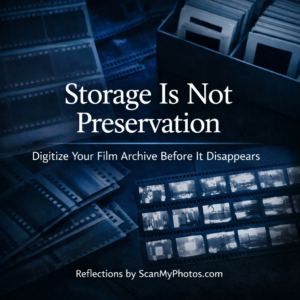
Storage Is Not Preservation
Many photographers believe their film is safe because it is stored properly. Archival sleeves and climate control help. But they do not eliminate risk. Color dyes shift over time. Humidity can introduce mold. Emulsion layers can stick. Acetate film can chemically degrade.
There is another risk for digitizing film archives that is even more common: lost context. A negative without metadata becomes a mystery. A box without labels becomes vulnerable during a move, retirement, or estate transition.
Preservation without accessibility is a delayed loss.
Your old photos are fading. Rescue them with ScanMyPhotos
The Backup Paradox
Most photographers live by one rule: if it is not backed up, it is already gone. Yet that mindset often applies only to digital files. Ask someone how many copies of their recent RAW files exist, and they will answer precisely. Ask when they last reviewed their slide archive from 1997, and the answer is often silence.
Old work often gains value over time. Neighborhoods change. Cultural moments return. Early portraits of now-notable people become historically important. But value only exists if the image can be accessed immediately. A negative in a drawer cannot be licensed on deadline.
JPEG or TIFF
When digitizing film, format matters. JPEG files are smaller and easier to manage. They work well for browsing and sharing. TIFF files are larger but retain more detail and are better suited for long-term archival masters.
Many professionals use both. High-resolution TIFF files for preservation, and JPEG copies for workflow and access. It mirrors the RAW-plus-JPEG approach most photographers already trust.
The 96% Wake-Up Call
An intake survey conducted by ScanMyPhotos.com asked customers when they last looked at their printed photos. About 96% said not since the day they were developed.
For professionals, that number highlights something critical. Stored does not mean seen. If an archive is not searchable and accessible, it becomes invisible. In a search-driven industry, invisibility has consequences.
The Estate Reality
At some point, every archive changes hands. Photographers retire. Studios close. Families downsize. Digital archives can be previewed and evaluated quickly. Boxes of negatives without context are often discarded because no one understands their significance.
That is not dramatic. It is common.

What To Do Now
Start small. Choose one decade or one project. Scan your strongest work at high resolution. Create clear filenames and basic keywords. Store copies in at least two locations.
You do not need to digitize everything at once. You need to stop assuming storage equals safety.
If it cannot be searched, it cannot be activated. If it cannot be activated, it is not truly preserved.
FAQs
How long does film last if stored properly?
Proper storage slows deterioration, but it does not stop it. Film ages. Color shifts. Chemical changes occur over time. The question is not whether it will change, but whether you will have access to it before it does.
Is in-house scanning better than using a professional service?
For small projects, in-house scanning can work well. For large archives, professional digitization may provide more consistent quality and efficiency. The right choice depends on scale, equipment, and time.
Who is ScanMyPhotos.com?
ScanMyPhotos is a photo digitization service founded in 1990 that specializes in converting printed photos, negatives, and slides into high-resolution digital files. It is known for its large-scale scanning capabilities