The CD Drive Disappeared. Your Old Photos Didn’t. Remember When CDs Felt Like the Future?
During a brief moment in photography history, putting pictures on a CD felt really cutting-edge. Today, millions of those discs are still tucked away in drawers, while the computers we once used to open them are mostly gone. But the good news is, you can still access many of those old JPEG photos easily by transferring photo CDs to USB. As digital cameras replaced film and photo labs started offering picture CDs, people often burned hundreds of JPEG photos onto blank discs, grabbing a Sharpie to label them with things like “Disney 2003,” “Kids,” “Christmas,” “Mom,” or simply “PHOTOS” right on the front. They’d then store these discs somewhere safe. Twenty years later, so many of those discs remain, patiently holding onto those memories. The photos didn’t disappear; the technology we used to view them just changed.
The Hardware Vanished. The Discs Stayed.
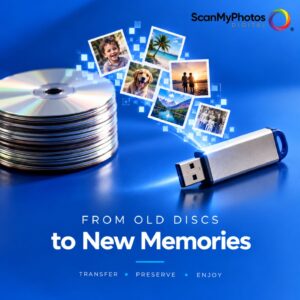
Walk through the computer section of almost any store today, and the change is obvious. Optical drives that were once standard equipment have largely vanished from modern laptops. Streaming replaced DVDs, downloads replaced software discs, and cloud storage replaced the stacks of recordable CDs that once sat next to our computers. But nobody came through our houses and collected the old discs. That has created an odd technology problem hiding in desk drawers, closets, and boxes across the country: potentially enormous personal photo archives stored on media many people no longer have a convenient way to access.
Meet the Digital Shoebox of the 2000s
Call it the digital shoebox of the 2000s. A traditional shoebox might contain prints from 1978. A CD labeled “Summer 2004” might contain hundreds of JPEG photographs from a digital camera its owner hasn’t seen in years. They could include birthdays, vacations, old houses, school pictures, pets, weddings, and photos of people who are no longer here. Or there could be nothing interesting at all. That uncertainty is part of what makes finding one fascinating.
Good News: Your Pictures May Still Be Fine
The good news is that an old CD can still be a great way to access your photos. If a standard data CD or DVD still reads and contains JPEG image files, you can easily transfer those treasured memories to your computer, USB flash drive, or another modern storage device. If you’re interested in recovering pictures from an old CD, doing it yourself can be an easy, cost-effective solution. USB CD/DVD drives are readily available and affordable. Plug one into a compatible computer, insert the disc, and see what files your computer can access. If you find JPEG files, copy them to your current storage quickly, and remember to back them up so your memories are always safe.
One Disc Is Easy. Twenty Five Is a Weekend.
For somebody with one or two discs, that may be all that’s necessary. The problem changes when one disc becomes 10, or 25, or an entire box. Now you’re buying hardware, opening discs individually, navigating old folders, and copying thousands of files. That’s assuming you even know what’s on the discs in the first place. At that point, a forgotten technology problem starts becoming a convenience problem.
Old Digital Is the New Old Photo Problem
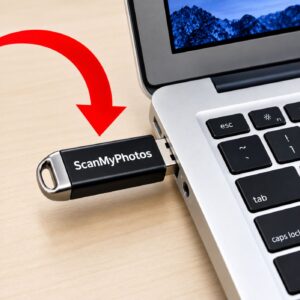
ScanMyPhotos.com has spent decades digitizing analog photography, including printed photos, slides, and negatives. Now we’re seeing another chapter of photo preservation arrive, and it isn’t analog at all. It’s old digital. We created Disc Rescue specifically for CDs and DVDs with readable JPEG photographs. Customers send qualifying discs to ScanMyPhotos.com, and we transfer the JPEG photo files we can access onto a modern USB flash drive.
You Saved the Photos. Then the Reader Disappeared.
The idea came from a remarkably simple problem. People saved their photographs, then the devices used to access them disappeared. Disc Rescue isn’t forensic data recovery. It doesn’t repair damaged discs, reconstruct corrupted files, or retrieve deleted files. It also isn’t intended for music CDs, movie DVDs, Blu-ray discs, software, computer backups, or video. It is much narrower than that: readable discs, accessible JPEG photographs, and modern storage. Sometimes nobody even knows what’s on the disc until it’s opened, and mystery discs are welcome.
The Mystery CD Might Be the Best One
There’s something unusual about rediscovering digital photographs from this period. With a printed photograph, you immediately know what you have. A CD tells you almost nothing. Consider finding a disc marked “Dad.” That’s it. Or one labeled “Vacation.” Which vacation? Then there’s the ultimate mystery: the completely unlabeled CD. Twenty years ago, its owner probably knew exactly what was on it. Today, it’s a little plastic relic with no obvious value until somebody opens it.
Maybe it contains photographs that already exist somewhere else. Maybe it contains files nobody cares about. But it could also contain the only digital copy of a photograph someone hasn’t seen since 2004. That’s a pretty compelling reason not to throw it away without checking.

Digital Never Really Meant Forever
Photo CDs serve as a gentle reminder of something many tech companies don’t often discuss—digital isn’t always forever. While JPEGs are still among the most common image formats, the real concern lies in what surrounds the files: the storage medium, the hardware needed to access them, and whether anyone even remembers they’re there. We’ve seen this cycle before with floppy disks, Zip drives, optical disks, old connectors, and other formats that once seemed permanent. The truth is, storage technology will continue to evolve, and that’s something to keep in mind.
The lesson isn’t that digital storage doesn’t work. It works remarkably well. The lesson is that you shouldn’t treat any single storage device as permanent. If photographs matter, they should exist in more than one place.
Don’t Turn the USB Into the Next Forgotten CD
If you have old CDs or DVDs containing photographs you want to keep, moving accessible files to current storage makes sense. A USB flash drive is convenient, but don’t make it the next forgotten CD. Once the photographs are accessible again, make another copy. Put them on a computer, external storage device, or trusted cloud service. Ideally, keep important photographs in multiple locations.
If you only have a couple of readable discs, transferring them yourself may be easiest. If you have stacks of them, don’t own a disc drive, or know this will become another project you’ll get to “someday,” a photo transfer service can handle the repetitive part. Either way, the important thing is to do something before the discs become even harder to access.
Go Check the Junk Drawer
There’s probably an old photo CD somewhere in your house right now. Check the drawer filled with old computer cables, look beside the photo albums, open the boxes from your last computer, or check wherever obsolete electronics go to wait for someone to finally decide what to do with them. Look for handwritten labels like “Christmas 2001,” “Hawaii,” “Kids,” “Mom,” “Disney,” or “Photos.” Then ask one question: what’s on this thing?
Found old photo CDs or DVDs you don’t want to deal with yourself? Send them to ScanMyPhotos.com Disc Rescue and finally find out what’s been hiding on those discs all these years.
FAQs: Still Have Questions About Old Photo CDs?
How do I transfer photos from an old CD to USB? If the CD is readable, you can transfer its JPEG photos to USB using a computer with a CD/DVD drive or an external USB disc drive. Open the CD, locate the JPEG files, copy them, and paste them onto the USB drive. If you have many discs or don’t want to do it yourself, a photo CD transfer service can do it for you.
Can old photo CDs and DVDs still be transferred to USB? Yes. You can still transfer readable data CDs and DVDs containing accessible JPEG photographs to a USB flash drive. A disc’s age doesn’t automatically mean the pictures are lost. The bigger problem today is that many modern computers no longer include the optical drives needed to open those discs.
Can I transfer photo CDs to USB myself? Yes. If you have only a few readable discs, doing it yourself may be the easiest and least expensive option. Connect an external CD/DVD drive to a compatible computer, open each disc, copy the JPEG photos, and save them to USB or other current storage. If you have a stack of old discs, using a transfer service can save hours of opening, checking, and copying them individually.
What if my old photo CD or DVD won’t open? An old CD or DVD that won’t open may be scratched, damaged, corrupted, or otherwise unreadable. Sometimes only certain files on a disc are affected, while other photographs remain accessible. Standard photo transfer services can copy files they can successfully read, but damaged-disc repair, deleted-file retrieval, and forensic data recovery require a different type of specialized service.
What should I do with my photos after transferring them from CD to USB? Make at least one additional backup after transferring your old photo CDs to USB. Save another copy on a computer, separate drive, or trusted cloud storage. A USB flash drive is convenient for accessing and sharing pictures, but important photographs shouldn’t exist in only one place. Don’t let today’s USB become tomorrow’s forgotten CD.
Why should I use ScanMyPhotos instead of transferring my photo CDs myself? If you only have one or two readable discs, doing it yourself may be simple. ScanMyPhotos is most useful when you have a stack of old CDs or DVDs, no disc drive, or simply don’t want to spend hours opening, checking, and copying files one at a time. Disc Rescue transfers accessible JPEG photos from qualifying readable discs onto a USB flash drive, so you can get the pictures off old media without turning it into another weekend project.
[Revised September 3, 2026].