Key Takeaways
- 78% of people never back up their digitized photos, risking losing irreplaceable memories.
- The 3-2-1 Rule is essential: keep 3 copies, store on 2 types of media, and keep 1 copy offsite.
- Use trusted cloud services and external drives for backups, and ask family to help with storage.
- Consider adding a GPS tracker when mailing photos for extra security during shipping.
- Your photos are precious memories; protect them with careful planning and backups.
Digitized, Then Lost: How 78% of People Are Still Putting Their Photos at Risk.
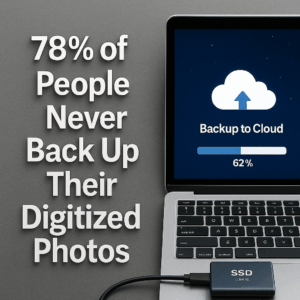
You finally scanned all your photos… but without backup, your memories could vanish again. Here’s how to keep them safe forever, and how to avoid losing scanned photos.
78% of People Never Back Up Their Digitized Photos—Don’t Be One of Them
First, a story: Last week, I got another heartbreaking call. “Do you still have my files from 2014? My hard drive crashed. It had our only copy.” This wasn’t rare. It’s the call we dread. A lifetime of photos—childhoods, weddings, grandparents now gone—vanished with one accidental click or broken drive. And it keeps happening. Here’s the part that hurts: they did everything right. They sent their pictures to be scanned. They took that first brave step. But then… nothing. No backup. Just one copy. Now it’s gone.
The Backup Mistake You Might Be Making
We polled 325 ScanMyPhotos.com customers. 78% admitted they never backed up their digitized photos. That’s not just risky. It’s a digital time bomb. Photos aren’t like passwords. You can’t reset them. When they disappear, they take your family history with them. One flood. One stolen laptop. One expired cloud subscription. That’s all it takes. But this can be fixed. Easily.
Introducing: The ScanMyPhotos 3-2-1 Rule
This rule isn’t new. But it’s the gold standard for protecting your digital memories. Here’s how it works:
- 3 total copies of your photos
- 2 different kinds of storage (cloud + physical drive)
- 1 kept offsite (not in your home)
Think of it as emotional insurance. Because your scanned photo files aren’t just data. They’re your story.
Step-by-Step: How to Protect Your Newly Scanned Photo Memories
1. Save to multiple locations. Download your scanned photos to:
- Your computer
- An external hard drive
- A trusted cloud service (iCloud, Google Photos, Dropbox)
2. Store one copy somewhere else. Ask a family member to hold onto a drive, or use a cloud account not tied to your main email. If there’s a fire, theft, or tech failure at home, you’ll still have access.
3. Add a GPS tracker when mailing in your photos. When mailing photos to ScanMyPhotos.com, include an Apple AirTag or Tile tracker. It’s optional, but adds peace of mind during shipping.
This Isn’t Just Tech Advice. It’s Love.
Your photos aren’t files. They’re your memories. The last hug. The first smile. The only photo of someone who meant the world to you. That’s why we created the 3-2-1 Rule. Not because we’re tech nerds. Because we know what it feels like to lose something irreplaceable. And we want to make sure that never happens to you.
FAQ
Q: How do I scan old photos if I don’t have a scanner? A: Use a trusted service like ScanMyPhotos.com that handles bulk scanning quickly and safely.
Q: Is Google Photos enough for backup? A: It’s a great start, but you should also keep a copy on a hard drive and store it offsite.
Q: What format are scanned photos saved in? A: JPEG is the standard, universal format. Easy to share, save, and print.
P.S. Are you waiting to back up your photos? Don’t. One copy isn’t enough. Protect them now. Discover more here → ScanMyPhotos.com.